Everything the platform does,
and where it stops.
Every screen below is the real product. Design the pipeline, decide what starts a phase, say how the agent behaves and how it talks, then version it, run it, bound it and audit it.
Your pipeline is a graph,
not a template.
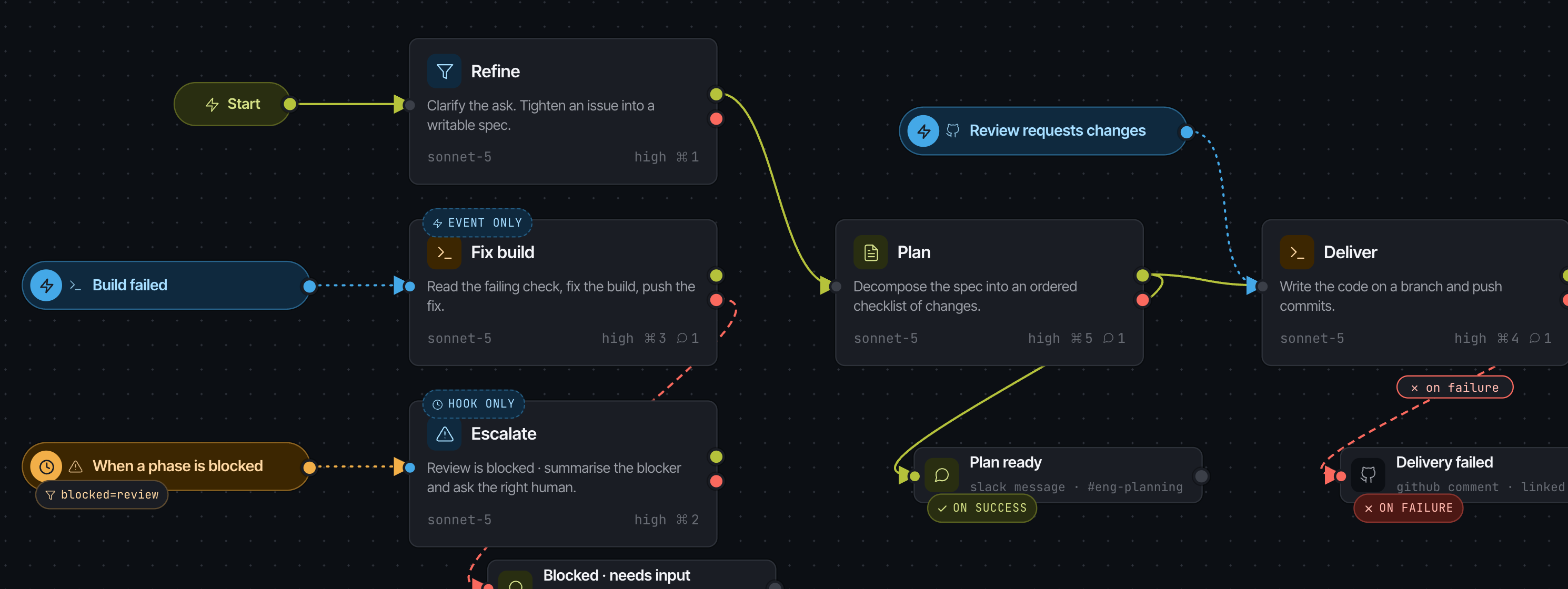
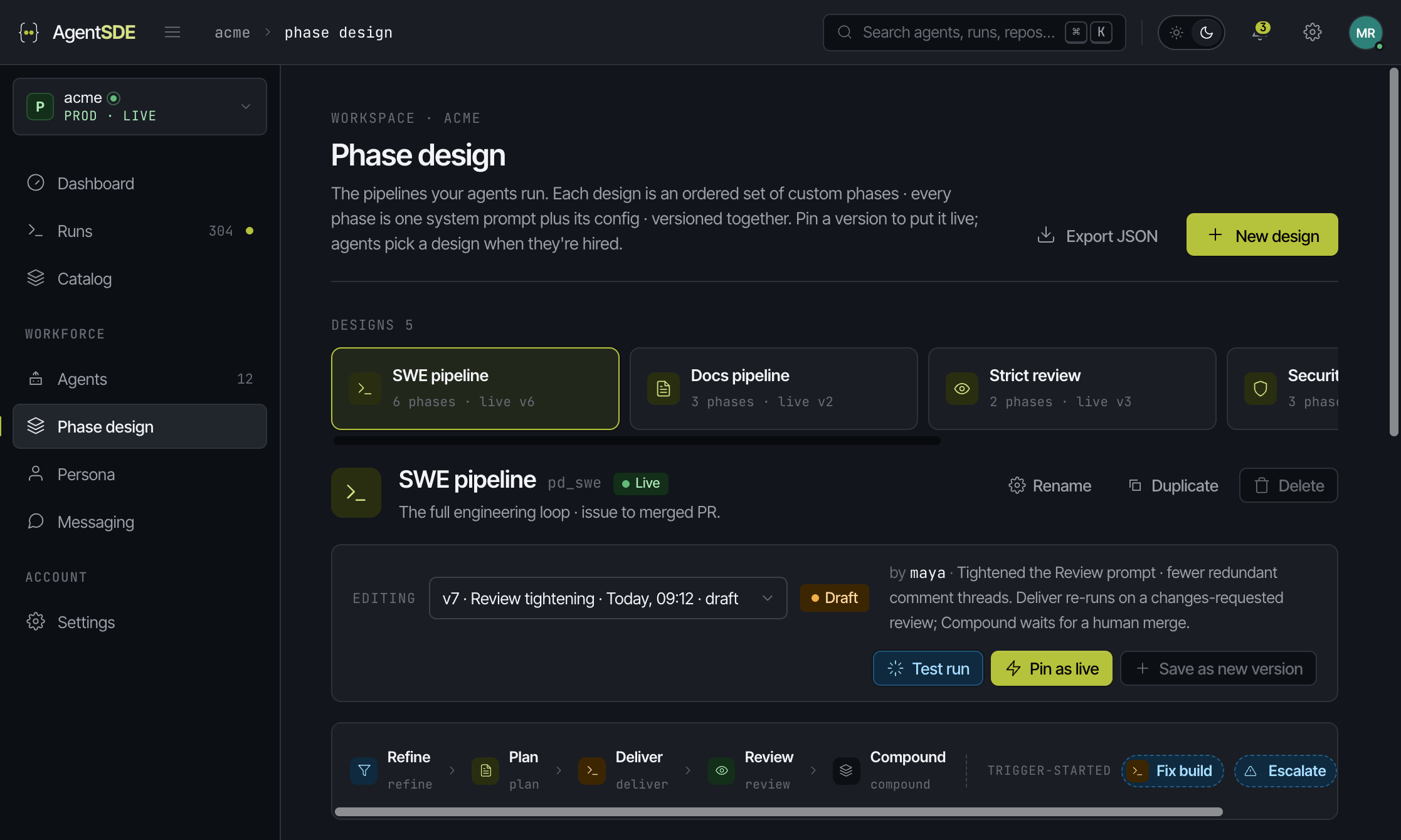
A phase design is an ordered set of phases you write yourself. Each phase is one system prompt plus its config · model, reasoning effort, allowed tools, attached messages. Wire them with success and failure edges, fan out in parallel, branch on a condition, loop a phase until it clears.
Not every phase
starts at the top.
A phase can be started by an external event from a connected integration, or by a lifecycle hook on another phase · before it starts, after it completes, when it is blocked. A trigger never asks for a repo or a branch: that comes from the agent's scope and its environment.
- ·GitHub · Jira · Slack · CI events, only from providers you have actually connected
- ·Filters are plain field = value rows the event offers · unset means any
- ·Event-only phases sit outside the train and group into their own lane on the board
- ·One trigger can feed several phases
How it behaves. How it talks.
Both are libraries.
Persona
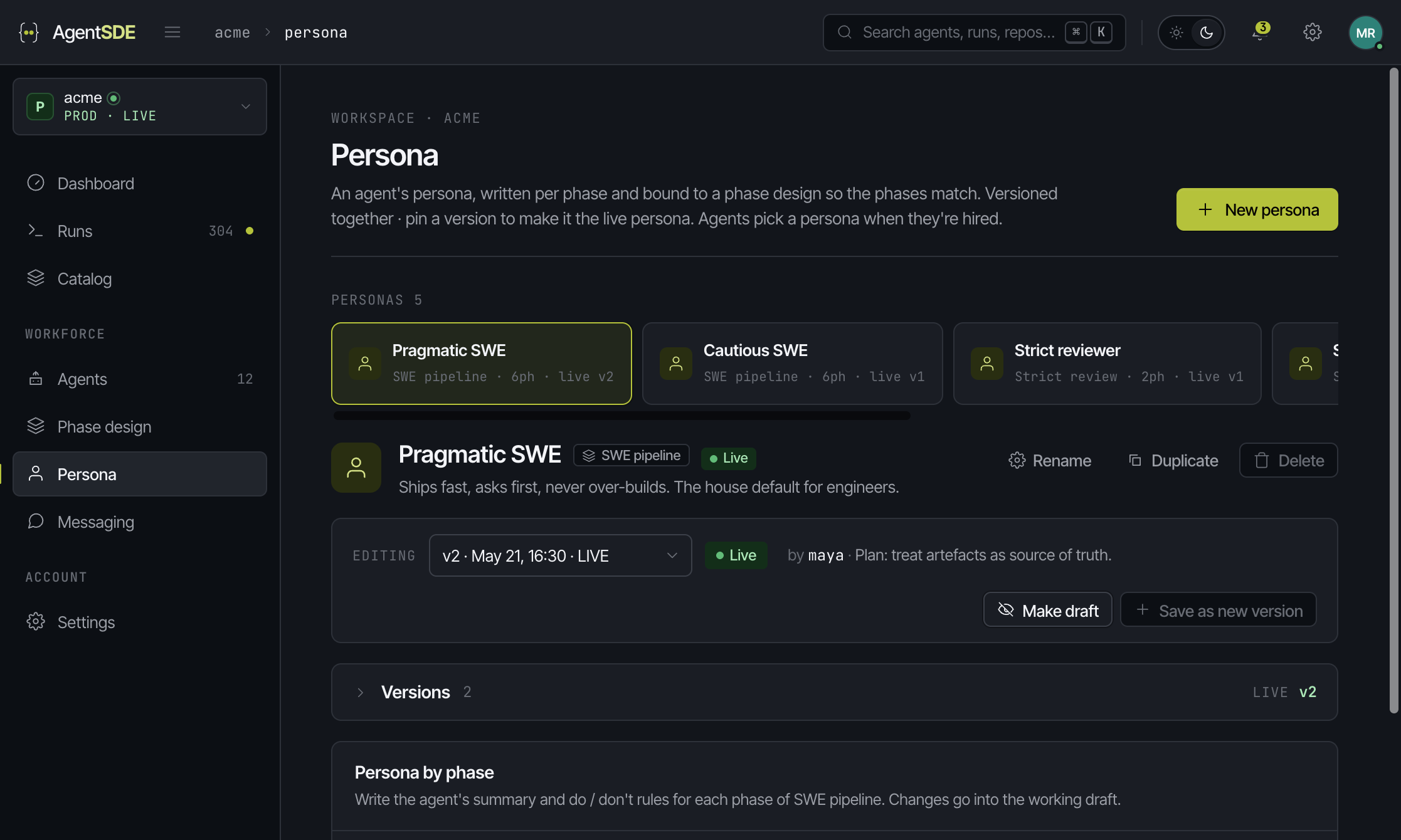
An agent's character, written per phase · a summary plus explicit do and don't lists. A persona is bound to a phase design so the phases always line up, and trigger-started phases are flagged so you write them to stand on their own.
Messaging
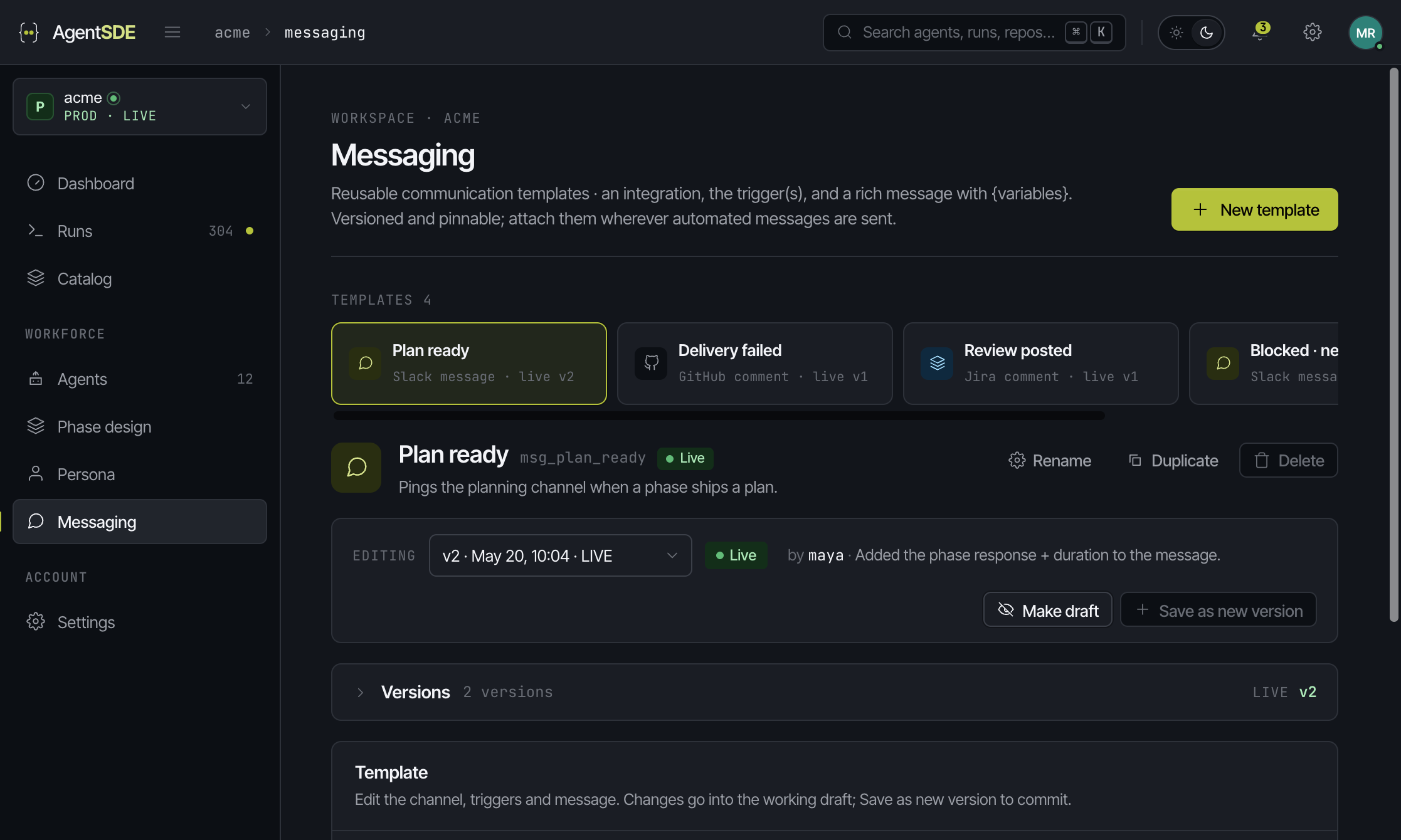
Reusable templates · an integration, the trigger, and a rich message with {variables}. On the graph a message is its own box at the end of a line, fired by a success or a failure edge, carrying that phase's full response. Attach one template to ten phases; the words stay in one place.
Ship a pipeline
the way you ship code.
Every design is versioned as a unit and exactly one version is pinned live. Drafts stay off the road until you promote them · and a design with a live version cannot be deleted out from under the agents running it.
- ·Test run · a real agent run in a chosen environment, against a real repo and issue
- ·Scored draft against live on outcome, cost and duration, phase by phase
- ·Test runs stay in their own history, never on the production board
- ·Pin · unpin · save as new version, each behind a confirmation
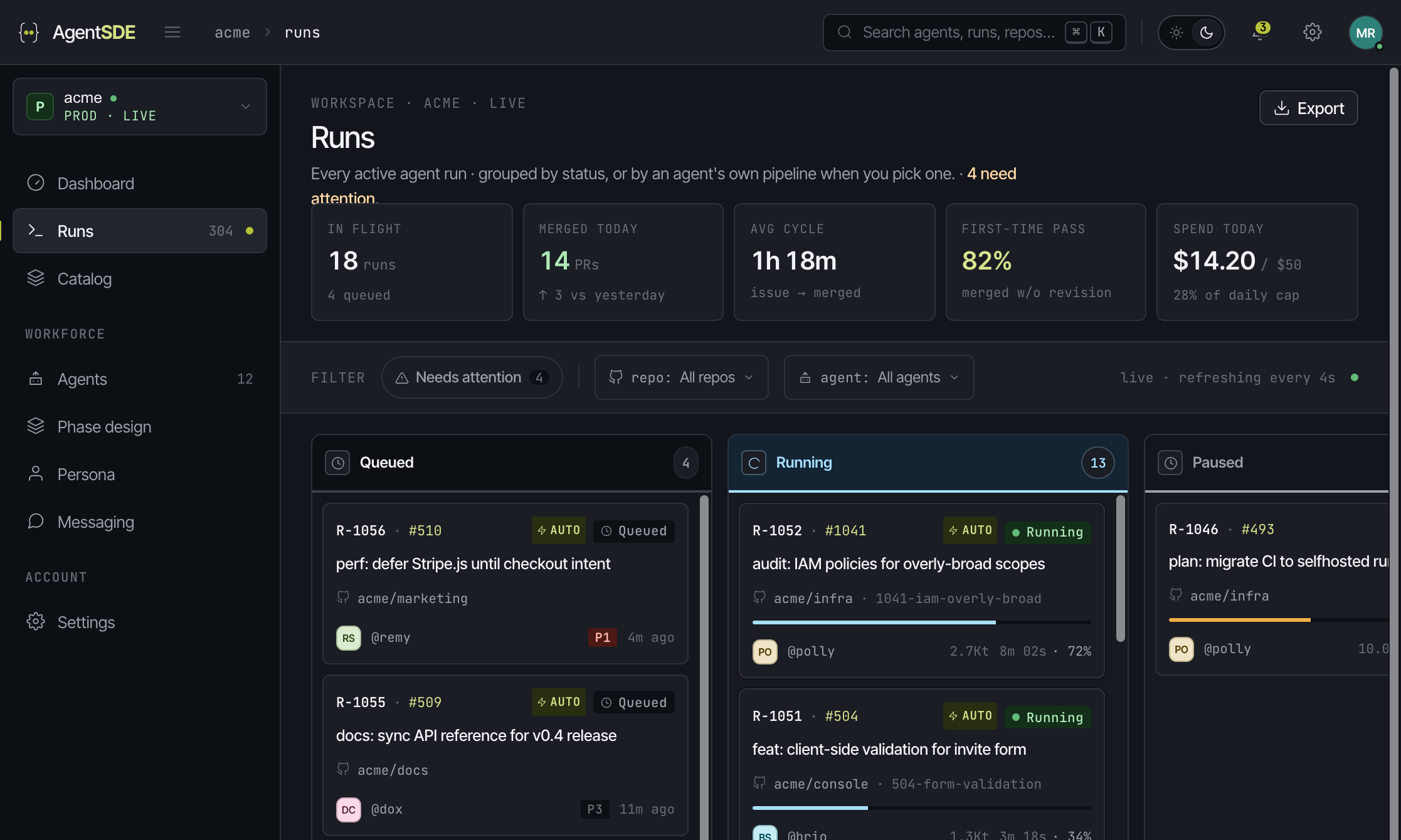
Every run, on one board.
Grouped by status across all agents, or by an agent's own phase design when you pick one · the board rebuilds itself from that design's phases. Event-started runs get their own lane so a triggered fix never pretends it walked the whole train.
- ·Emphasis filter for what needs you · scoping filters for repo and agent
- ·Tokens and spend derived per phase, on every card
- ·Slide-over for triage from the board, full page for long plans and reviews
- ·Started-by is recorded on the run · sequence, event or hook
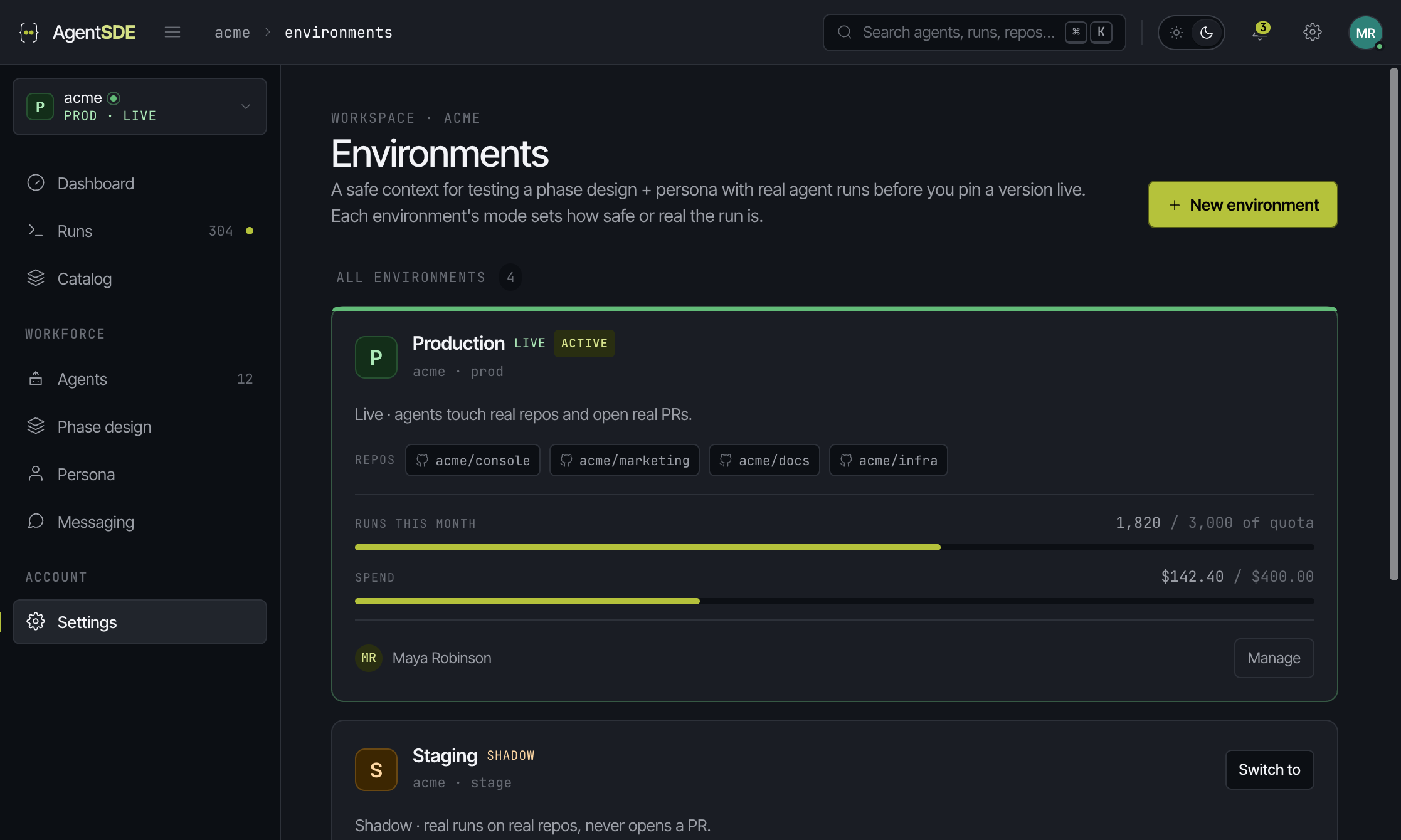
Test on real repos
without touching prod.
An environment is a safe context for a real run: a mode that decides how real the side effects are, the repos it may touch, a run limit and a hard USD cost cap. Production is one of them.
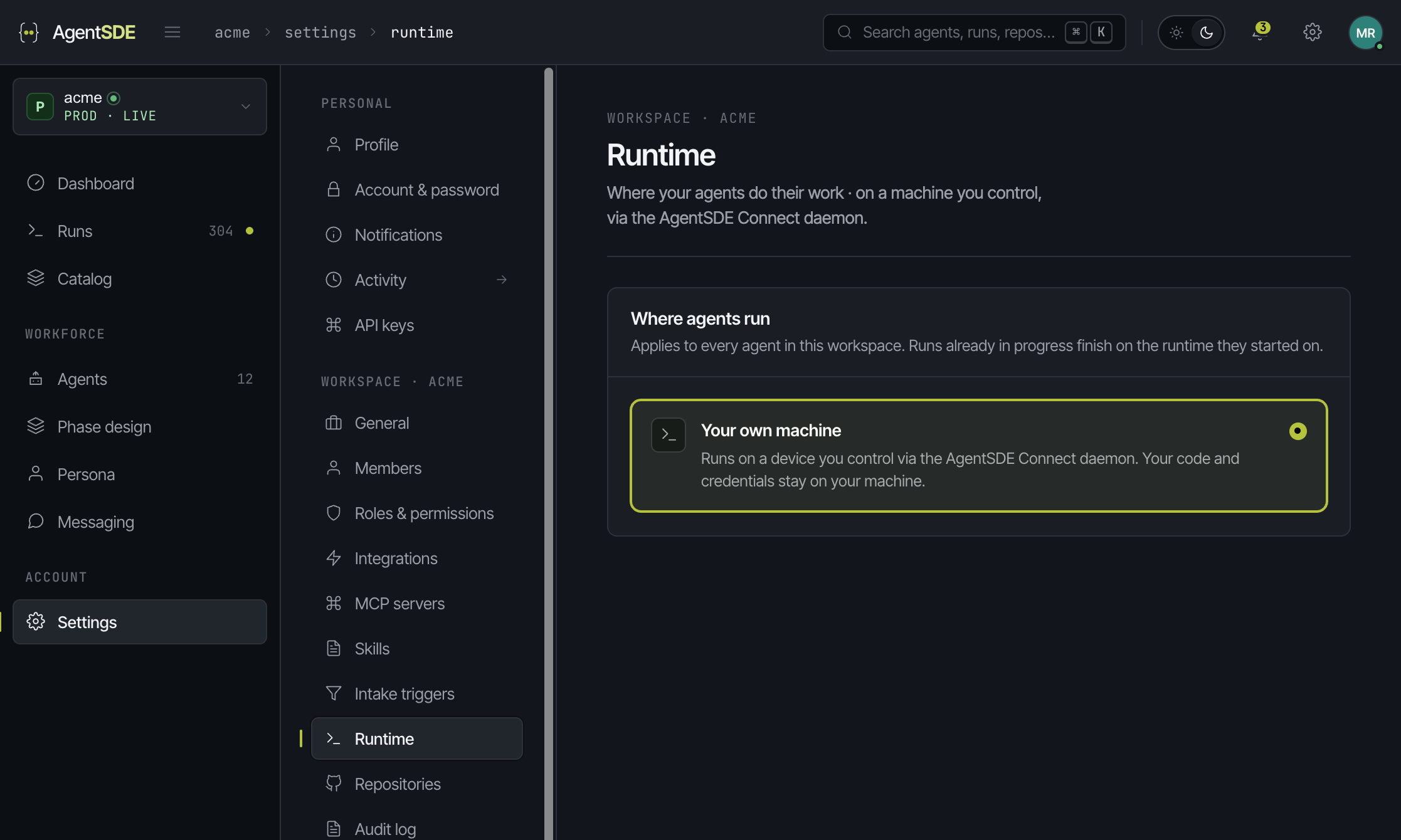
Your machine,
your keys.
Agents run on a machine you control. Install the AgentSDE Connect daemon on a laptop, build box or server and pair it once. Phases run there, and your code, credentials and model calls stay on that machine.
Nothing widens
without an admin.
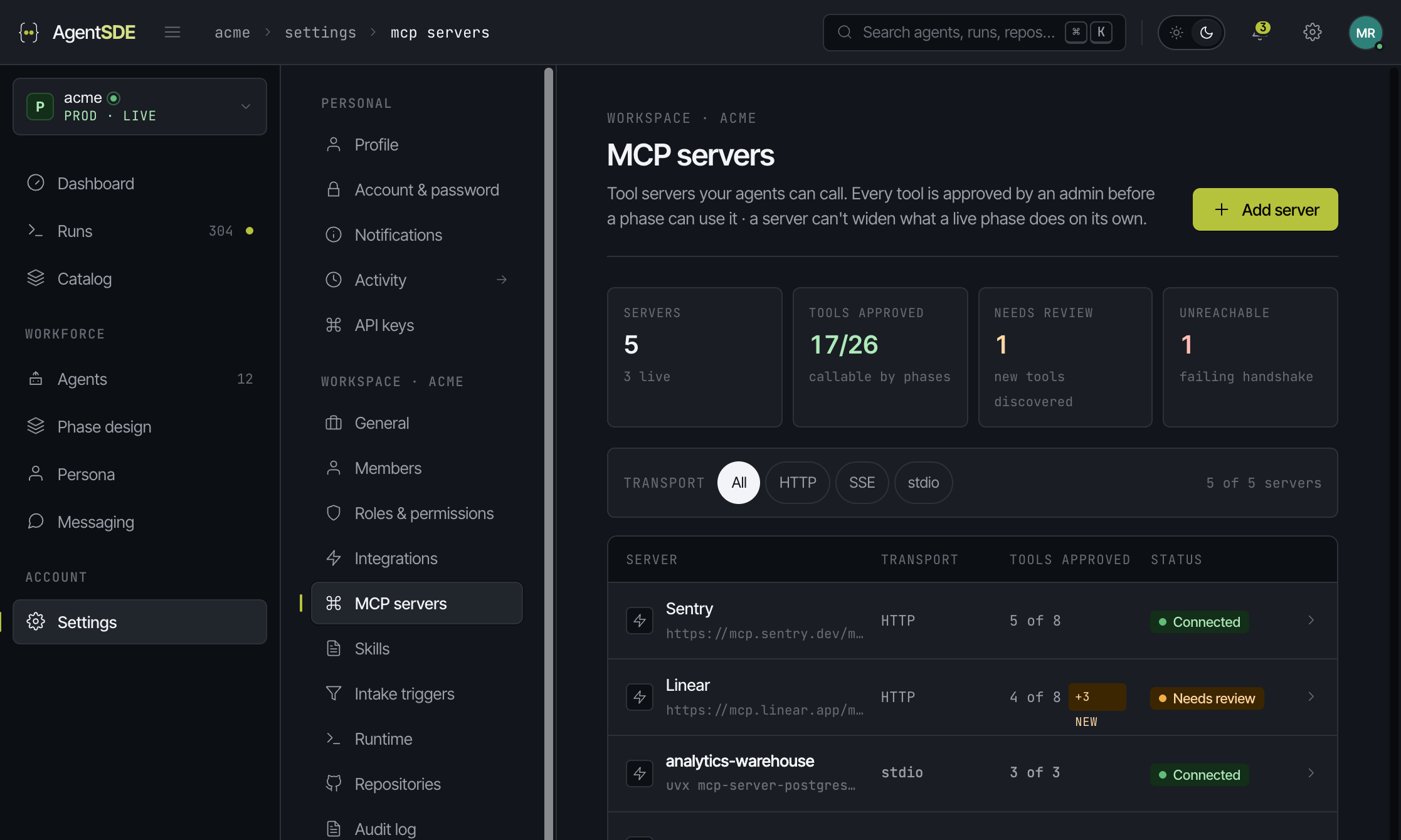
MCP servers
Bring your own tool servers over streamable HTTP, SSE, or local stdio through Connect. A server's tool list drifts, so every tool carries an approval · newly discovered tools arrive unapproved behind a badge, and destructive ones are never auto-approved. Approved tools show up as extra checkboxes in a phase's allowed tools, grouped by server.
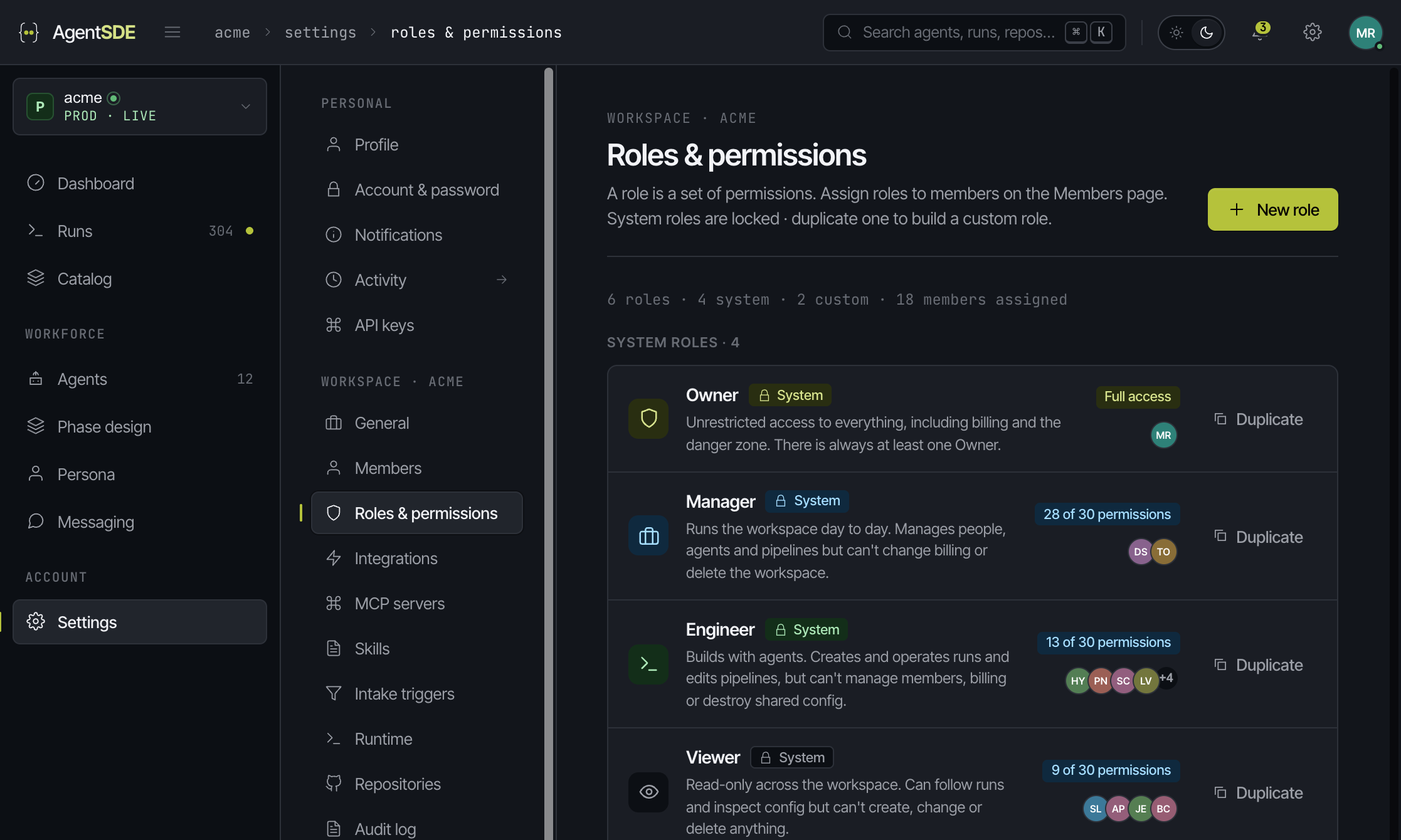
Roles, keys, audit
A role is a boolean permission set across every resource · four system roles, locked and duplicable, plus any custom role you need. API keys use a full resource:action scope model with a preset-first picker, and rotating a key is deliberately a different act from revoking one. Every action an agent takes lands in the audit log.
It runs inside
the stack you already have.
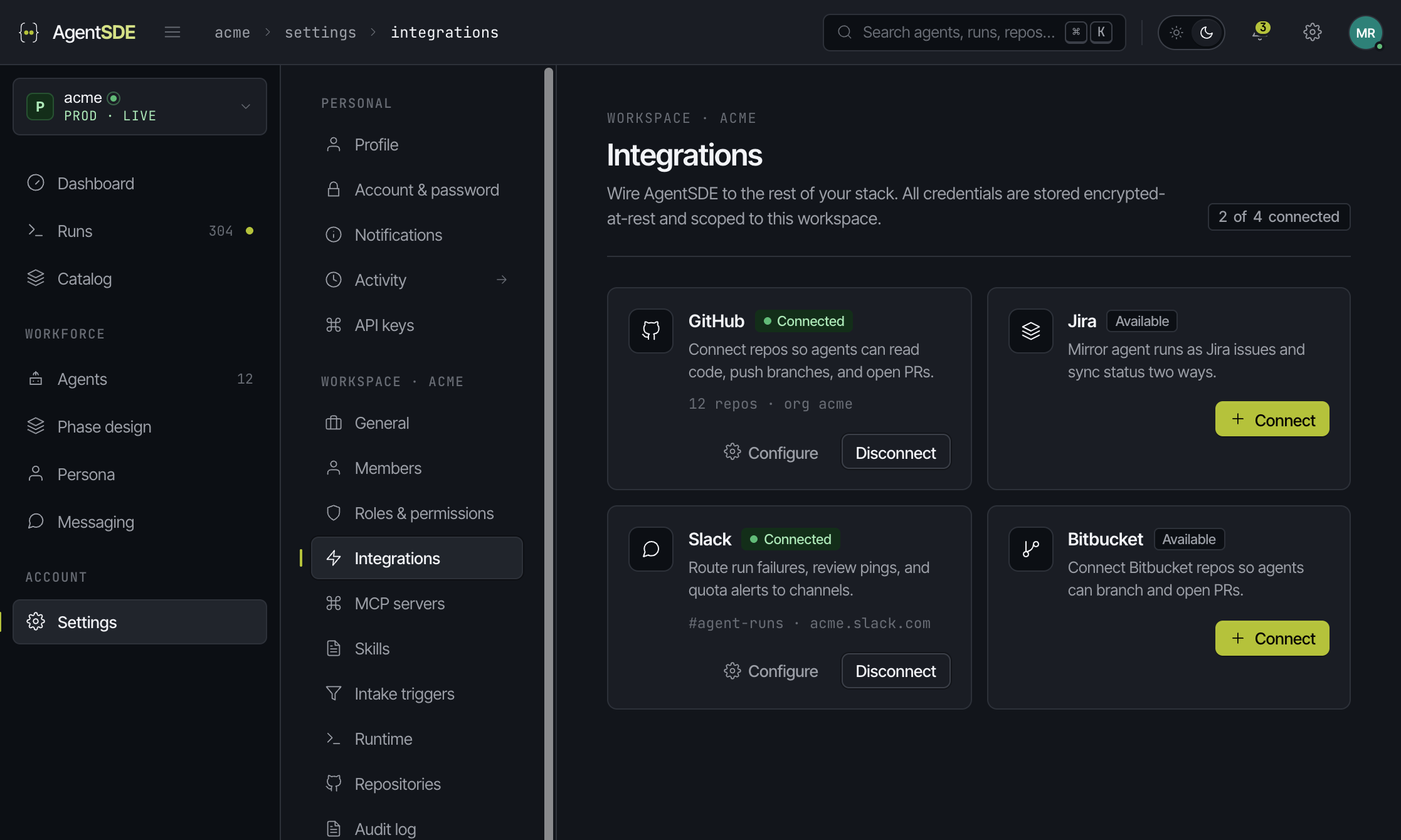
Connect GitHub or Bitbucket for code, Jira or GitHub Issues for work, Slack for the conversation, CI for the signal. Agents branch, push and open PRs as themselves · inside your branch protection, your CODEOWNERS, your reviewers.
- ·OAuth scopes are fixed on the token at grant time, so we show them read-only
- ·Configure only exposes what the connection genuinely controls · repo allowlist, project and status mapping, channel routing
- ·Per-repo overrides for issue tracker and base branch, inheriting tenant defaults
- ·Branch and commit conventions with click-to-insert tokens